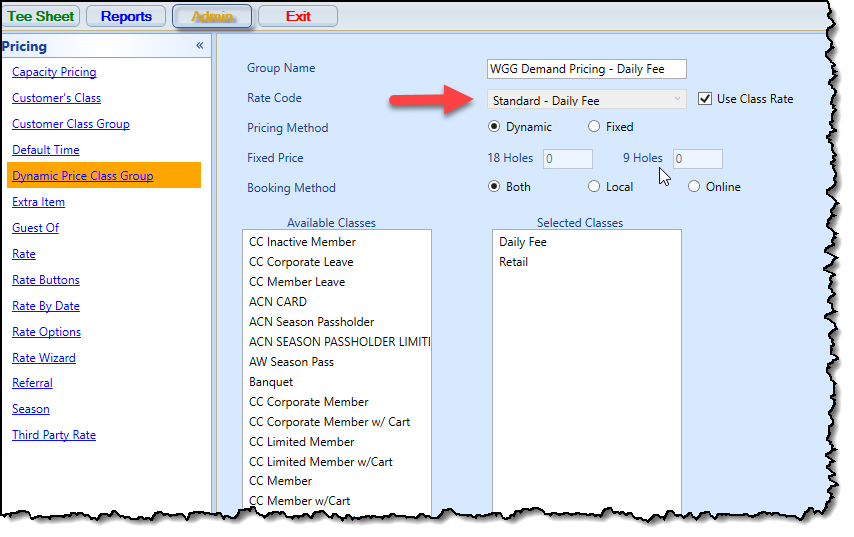
New Use Class Rate option is available in the Dynamic Price Class Group setup screen
In the 3.100 update, during the check-in process, the Dynamic Pricing Class Group rate is ignored if a rate is set up in the Customer Class assigned for the group if you check the Use Class Rate option.
To set up a class rate override, do the following:
-
Go to Starter Hut.
-
Select Admin at the top then select Pricing near the bottom-left then Dynamic Price Class Group.
-
Either select Edit to update a rate or click Add to start a new one. This screen displays:
-
Make sure you select a rate from the Rate Code drop-down and then select the Use Class Rate to override the Dynamic Class Group Rate.
-
Make sure that you add at least one class from the Available Classes list to the Selected Classes list.
-
Make the other necessary changes on this screen, then scroll down to select Save.
The rate assigned to the class will then be used instead of the Dynamic Price Class Group.
Shout out to Scott Scherger @gcgr.com